
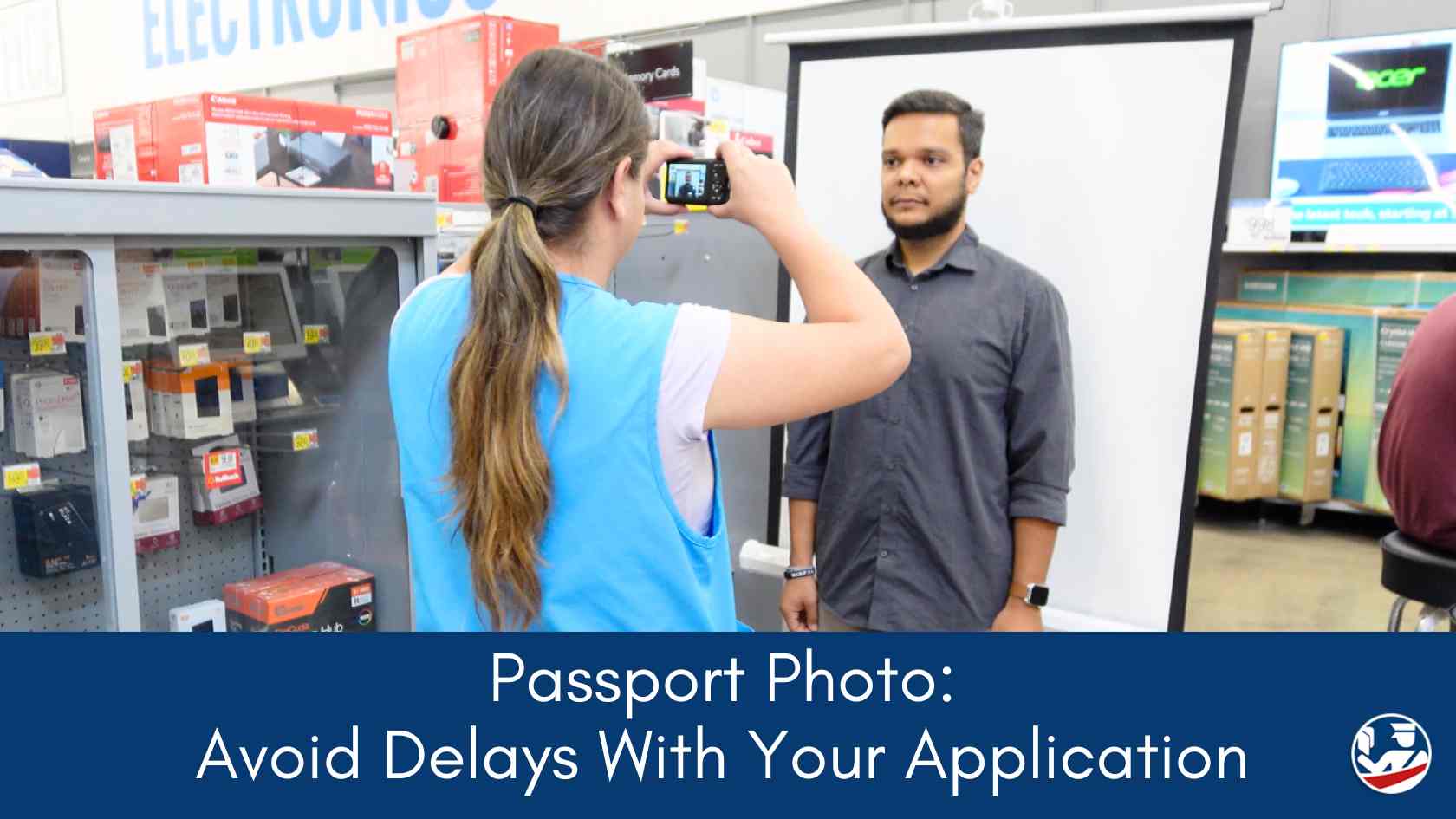
Getting a U.S. passport photo might seem simple, but there are strict guidelines you need to follow. If your photo doesn't meet the requirements, it can cause delays in the processing of your application. This guide covers everything you need to know to make sure your photo is accepted.
If you're worried about getting your photo just right, consider getting help from a reputable passport expediting service and be sure you get your application processed as quickly as you need without delays or mistakes.
Table of Contents
- What Size Should Your Passport Photo Be?
- Background and Lighting
- Expression and Face Position
- What to Wear for Your Passport Photo
- Photo Quality and Resolution
- Digital Photos for Online Applications
- Common Mistakes to Avoid
- Tips for Taking Your Own Passport Photo
- How to Print Your Passport Photo
- Where to Get a Passport Photo Taken
- Checklist: Before Submitting Your Passport Photo
- Passport Photo FAQs
✈️ Need Your Passport Fast?
Save 10% on VIP expedited courier service with processing as fast as 2–4 business days. For a more affordable option, choose the popular Priority Service with 7–9 business day processing. Check current available processing speeds.
What Size Should Your Passport Photo Be?
Your passport photo must be 2 x 2 inches. The photo should show your entire face and head, from the top of your hair to the bottom of your chin, which should measure between 1 and 1 3/8 inches in the photo.
This is essential to ensure it meets the Department of State's requirements.
Background and Lighting
The background must be plain white or off-white with no shadows. Make sure to take your photo in even lighting to avoid shadows across your face or the background.
You should be the only person in the photo, with no other objects visible.
Expression and Face Position
Look straight at the camera with a neutral expression or a slight smile. Both eyes should be open and clearly visible.
Avoid tilting or turning your head-keep it centered and level with the camera. This ensures that all facial features are clear and easily recognizable.
What to Wear for Your Passport Photo
Wear everyday clothes; uniforms, camouflage, or anything that might resemble an official outfit is not allowed.
Avoid hats, scarves, or other head coverings unless it's for religious or medical reasons, in which case a signed statement may be required.
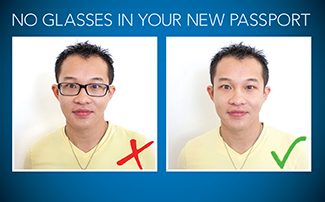
Glasses are no longer allowed in passport photos, even if you wear them daily, to ensure your face is clearly visible.
See also: What To Wear For A Passport Photo: How To Balance Style And Compliance
Photo Quality and Resolution
Make sure your photo is in color, taken within the last 6 months, and printed on high-quality photo paper. Blurry or pixelated photos are not acceptable.
The resolution should be at least 600 dpi (ideally 1200 dpi) if you're using a digital camera, which will help ensure a clear and detailed image.
Digital Photos for Online Applications
If you are renewing your passport online, you will need to upload a digital photo. The photo must still follow all the guidelines listed above.
The file format should be JPEG, and the file size should not exceed 5 MB. The photo must also be square (a 1:1 aspect ratio), with dimensions of at least 600x600 pixels and no more than 1200x1200 pixels.
IMPORTANT NOTE: glasses are no longer allowed in passport photos.
Common Mistakes to Avoid
- Glasses: Wearing glasses is one of the most common reasons photos are rejected.
- Incorrect Background: A non-plain background will cause delays.
- Expression: Smiling too much or making an unusual face can result in rejection.
- Lighting Issues: Shadows on the face or background may lead to a rejected photo.
See also: 9 Things That Can Get Your Passport Photo Rejected
Tips for Taking Your Own Passport Photo
If you're taking your own photo at home, consider using natural lighting, like standing near a window during the day.
Place a plain white sheet behind you if your walls aren't plain. Make sure the camera is at eye level and about four feet away to capture the correct framing.
Interested in the DIY route for your passport photo? Check out our guide to taking a passport photo with an iPhone.
How to Print Your Passport Photo
Once you have the right photo, print it on high-quality photo paper-matte or glossy is acceptable.
The photo must be unaltered, so avoid any digital editing, filters, or adjustments that change your appearance.
Where to Get a Passport Photo Taken
If you prefer not to take the photo yourself, many pharmacies, photo centers, and retail stores offer passport photo services. They are familiar with the requirements, so they can usually help you get the right shot.
Many passport application acceptance faciliites offer photo services. Your are sure to find a location to get a passport photo near you.
See also: Where to Get a Passport Photo [Price Comparison]
Checklist: Before Submitting Your Passport Photo
- Correct Size: 2 x 2 inches
- Taken within the last 6 months
- Plain White or Off-White Background
- Centered, Neutral Expression
- No Glasses or Headwear (unless for religious/medical reasons)
- High-Quality Color Print on Photo Paper
- No Digital Edits
Passport Photo FAQs
A: Yes, but keep it subtle. A slight smile is acceptable as long as both eyes are open, and your expression is neutral. Showing teeth or making a big smile can lead to photo rejection.
A: Yes, you can take your own photo, but it must meet all official guidelines, including size, background, and lighting. Be sure to use a plain white background, even lighting, and a high-quality camera.
A: Yes, makeup is allowed, but it should look natural. Avoid heavy makeup or anything that could significantly alter your appearance.
A: Choose a solid-colored shirt that contrasts with the white background, such as a medium or dark color. Avoid white or light colors that may blend in with the background.
A: The cost varies by location. Many pharmacies, photo centers, and retailers offer passport photos, typically priced between $10 and $15.
Check for services in your area: Where to Get a Passport Photo
A: Yes, small jewelry is allowed as long as it doesn't obscure your face. Large or dangling earrings that might cast shadows or distract from your face are not recommended.
A: Yes, as long as your bangs do not cover your eyes. Make sure your entire face is clearly visible.
A: No, showing your ears is not required. However, your full face must be visible from chin to hairline without any shadows.
A: If submitting a paper application, use staples to attach the photo as indicated on the form.
A: Place the baby on a plain white sheet or hold them against a white background. Ensure no one else is in the frame. A slight recline is acceptable, and try to capture the baby's face with their eyes open if possible.
A: Yes, you can wear your hair up, but make sure it doesn't cast shadows on your face or cover any facial features.
A: Uniforms should not be worn in photographs except in the case of religious attire that is worn daily. Otherwise, normal, everyday attire should be worn.
See also: Passport Photo FAQ
Compare Your Fast Passport Options
If routine service is too slow, you may need an agency appointment or help from a registered courier. Compare your options before you decide.

